在从 GitHub 克隆大型项目时,经常会遇到速度极慢或连接超时的问题。本文提供了两种最有效的解决方案:配置本地代理(如 Clash)或使用国内镜像源。
1. 如果开了代理 (如:Clash)
先配置环境
假设你的代理端口是 7897(请根据实际情况修改端口号),需要运行以下两条命令。注意:两个都要运行!
例子:
git config --global http.proxy http://127.0.0.1:7897
git config --global https.proxy https://127.0.0.1:7897
如果代理端口不是 7897,请自行修改。
如果使用的是clash,端口号可以在下图位置找到
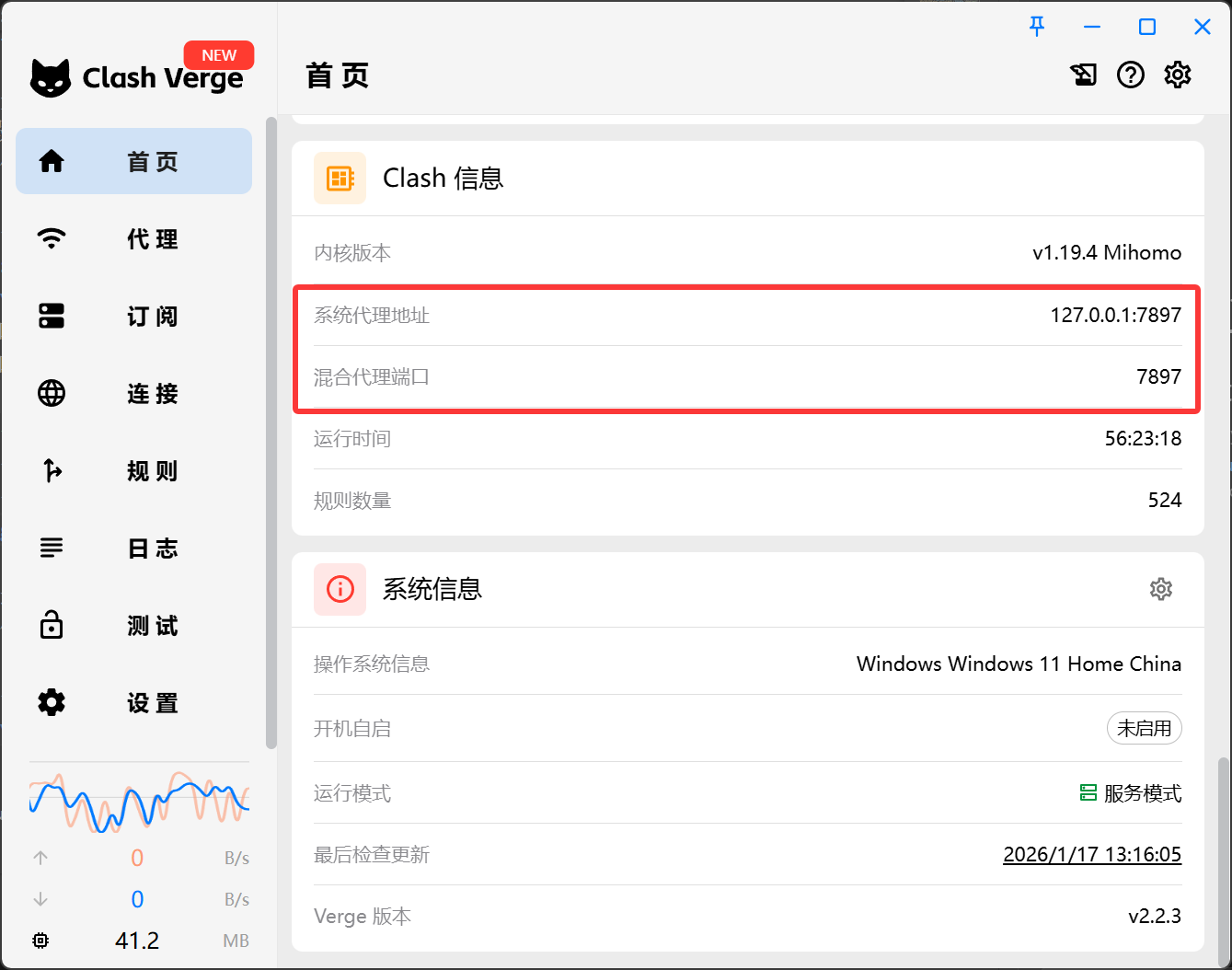
最后再 Clone 即可
例子:
git clone https://github.com/whiteDLG/DeepWriting_Bench_eval.git
环境清理(重要)
运行完记得删除配置的环境,免得下次不使用代理时出错!
git config --global --unset https.proxy
git config --global --unset http.proxy
(可选) 检查配置
如果要检查是否删除干净,使用下面的代码。如果已经删除了,使用这两个命令不会输出任何内容。
git config --global --get http.proxy
git config --global --get https.proxy
2. 如果没开代理
如果网络环境良好,直接 Clone 即可。
git clone https://github.com/whiteDLG/DeepWriting_Bench_eval.git
3. 镜像下载 (推荐)
如果不想配置代理,可以使用 ghproxy 等镜像服务加速。
例子:
git clone https://mirror.ghproxy.com/https://github.com/whiteDLG/DeepWriting_Bench_eval.git